Audiobook Binder Pro What Is M4B?
What Is M4B?
M4B is an audiobook-oriented audio file format. M4B stands for MPEG-4 Audio Book, and it uses the same MPEG-4 Part 14 container as M4A files. The audio inside is AAC, the same efficient codec used for most modern digital audio. The key difference from a plain music file is the .m4b extension, which signals to audio players that the file is a book rather than a loose track.
For most people, the important part is not the technical container. It is the listening behavior. A good M4B carries the audio, chapter information, cover art, and book metadata in one file, so audiobook players can treat it like a book instead of a scattered set of tracks.
The practical payoff is that a whole book becomes a single, tidy object. Instead of a folder holding 30 separate MP3 files with names like Track 01, Track 02, and so on, you end up with one file such as The Time Machine.m4b that opens to a cover, a title, an author, and a chapter list. At typical audiobook bitrates a full-length novel of eight to twelve hours lands somewhere around 150 to 300 MB, small enough to sit comfortably on a phone alongside dozens of other titles.
Why M4B exists
Long audio is different from music. You might listen to a song from start to finish in three minutes, but an audiobook, lecture course, or language lesson collection may take hours or weeks. You rarely finish it in one sitting, you pause it constantly, and you move between chapters deliberately rather than shuffling tracks.
That is why remembered playback position matters. If you stop in the middle of Chapter 8 or halfway through a Statistics lecture, you want the player to bring you back to that exact second the next morning, not restart the file or drop you at the top of a track. A music player usually forgets where you were; an audiobook player built around M4B is designed to remember. That single behavior is the difference between listening to a book over two weeks of commutes and losing your place every time you close the app.
Chapters are the other half of the story. A named chapter list lets you skip the foreword, jump straight to Lesson 12, or re-listen to a single scene without dragging a scrubber bar back and forth. Good chapter names carry real information: Chapter 3 - The Return, Lecture 07 - Hypothesis Testing, or Unit 4 - Ordering Food tell you far more than Track 14.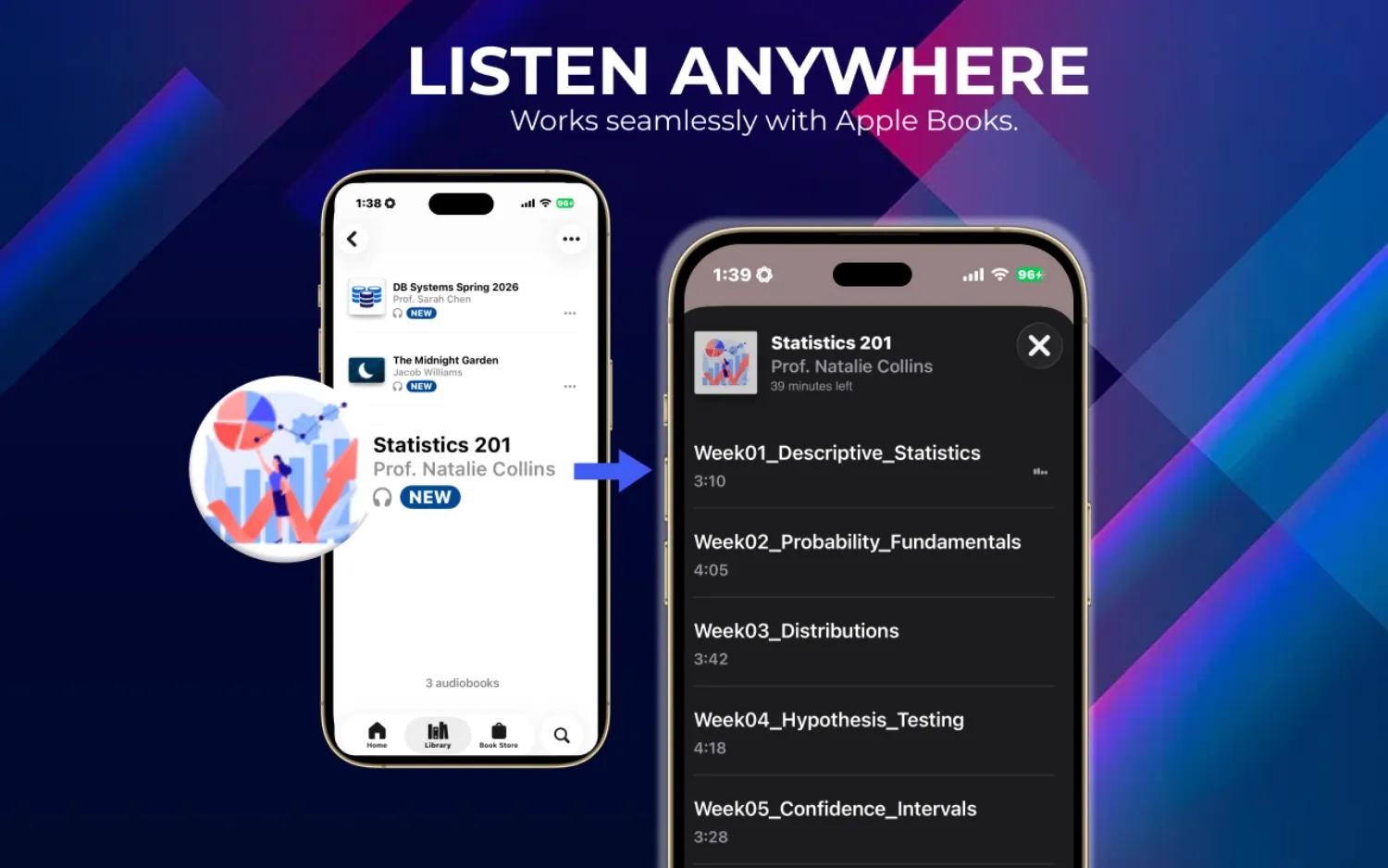
What is stored inside an M4B
An M4B is really several things bundled into one container:
- The audio itself, encoded as AAC.
- A chapter map: a list of titles paired with timestamps that tells the player where each section begins.
- Cover art, usually a square image, shown on the lock screen and in the library.
- Book metadata such as title, author, and narrator, used to file the book correctly.
The player reads all of this from the single file. That is why one well-made M4B can slot straight into a library and look finished, while a folder of raw tracks needs the app to guess at ordering and titles.
M4B vs MP3
MP3 is easy to play almost anywhere, but a folder of MP3 files is not always a good audiobook experience. Files can appear as separate tracks, chapter names may be messy, and players may not remember the right position across a long book or course. The full M4B vs MP3 comparison covers chapters, bookmarks, compatibility, and file size. If a book arrives as 40 loosely named MP3s, a music app may sort them alphabetically instead of in reading order, so Chapter 10 lands before Chapter 2, and a stray pause can bump you back to the very first file.
Audiobook Binder Pro can turn those MP3 files into a chaptered M4B from MP3 files, so the whole book plays as one title with the chapters in the right order. Worth knowing: the app imports MP3 as a source but does not export MP3. The finished audiobook comes out as M4B (or M4A), which is the format that actually behaves like a book.
M4B vs M4A
M4A is usually plain audio. M4B is the audiobook-oriented output. Audiobook Binder Pro can export both:
| Output | Use it when |
|---|---|
| M4B | You want an audiobook with chapters, metadata, cover art, and remembered position in compatible players. |
| M4A | You want plain audio output instead of an audiobook container. |
What Audiobook Binder Pro adds
The app lets you create M4B audiobooks from audio files, edit metadata and cover art, organize chapters, import existing chaptered books, and extract chapters to M4A. It imports MP3, M4A, M4B, WAV, FLAC, AIFF, and AAC files, plus other formats supported by the v2 audio engine, and combines them into a single chaptered M4B.
Encoding is not locked to one quality. You can pick a preset or adjust the bitrate, channels, and sample rate yourself, which is handy when you want a spoken-word book to stay small and mono, or a music-heavy recording to keep more detail. Because the app is project-based with auto-save, a long book you are still organizing survives being closed and reopened; you do not have to finish it in one session. Everything runs fully offline, with no account and a one-time purchase, on macOS 12.0 (Monterey) or later.
Beyond building new books, the app can edit an existing M4B in place to fix its metadata, swap the cover, or clean up a chapter list, and it can split a very long book into parts if you prefer several shorter files over one enormous one. When you finish a single-file book it can also add it to Apple Books for you automatically, so it lands in your Audiobooks library without a manual drag.
That makes M4B useful for more than downloaded books. It can also help you turn lecture recordings into an audiobook, organize language lessons, and package music lessons, podcast collections, public domain audio, and audiobook projects you are creating yourself.
See the v2 output options in action
The clip below runs the whole export in well under a minute. You open a book, set a bitrate, choose mono or stereo and a sample rate, decide whether to split the book into parts, then write the final M4B. It is the same v2 output panel described above, shown in practice on a demo library.
How to make an M4B on a Mac
Building your first M4B is straightforward once the pieces are clear:
- Gather the source audio. This can be a set of MP3, M4A, WAV, FLAC, AIFF, or AAC files, or a single long recording. Naming files in reading order first makes the next step easier.
- Add them to a project and put them in the order you want to listen. Each file, or a marker you set, becomes a chapter.
- Give each chapter a clear title, add the book title and author, and drop in a cover image so the finished book looks right in your library.
- Choose a preset or set the bitrate, channels, and sample rate to suit spoken word or music.
- Export to M4B. For a typical novel this produces one tidy file that a compatible player opens with its cover, chapters, and remembered position ready to go.
If you later realize a chapter name is wrong or the cover is low quality, you do not have to rebuild from scratch; the app can reopen and edit the finished M4B directly.
M4B vs MP3 vs M4A
| Feature | M4B | MP3 | M4A |
|---|---|---|---|
| Good for audiobook-style listening | Yes | Limited | Limited |
| Audio codec | AAC | MP3 | AAC / ALAC |
| Can hold chapter information | Yes | Not reliably for this workflow | Sometimes, but not always treated as audiobook content |
| Position bookmarking | Yes | No | Not usually |
| Cover art | Yes | Yes | Yes |
| Usually treated as a book by audiobook apps | Yes | No | Usually no |
| Good as plain audio | Sometimes | Yes | Yes |
| Best use in Audiobook Binder Pro | Main audiobook export | Import source | Plain audio export or import source |
Which players support M4B?
M4B works with players such as Apple Books, Plex, Prologue, Audiobookshelf, and BookPlayer that support the audiobook format. Apple Books places M4B files in your Audiobooks library on a Mac, iPhone, or iPad. Prologue and BookPlayer are popular on iOS, and Audiobookshelf and Plex are common for self-hosted libraries. General media players such as VLC and foobar2000 can also play M4B files. How much chapter and position support you get depends on the specific player, so it is worth checking your app of choice.
Frequently asked questions
Is M4B an Apple-only format?
No, but it is especially common in Apple audiobook workflows. Other audiobook apps and library tools may also support M4B, depending on the player.
Can I just rename M4A to M4B?
Renaming may change how some players treat a single file, but it does not build a chaptered audiobook from multiple files. Audiobook Binder Pro creates the project structure and writes the export.
Why not use one long MP3?
For long listening, chapters and remembered position matter. M4B is a better fit when the audio should behave like a book.
How do I open an M4B file?
On a Mac, double-click the file and it usually opens in Apple Books, which places it in your Audiobooks library. On iPhone and iPad, apps such as Prologue and BookPlayer handle M4B natively. On a home server, tools such as Audiobookshelf and Plex support M4B as well. Chapter display and remembered position can vary from one player to the next.
Can I convert M4B back to MP3?
Yes. Tools like FFmpeg or VLC can extract the audio from an M4B and save it as MP3, but you will lose chapter markers and remembered position in the process, since MP3 does not carry those reliably. Audiobook Binder Pro itself exports M4B and M4A, not MP3.
Can M4B files have multiple chapters?
Yes. Chapter support is one of the main reasons M4B exists. Each chapter has a title and a timestamp, so a compatible player can show a chapter list you tap or click to jump between sections.
How big is an M4B file?
It depends on length and bitrate. A full-length spoken-word novel of eight to twelve hours is often around 150 to 300 MB at typical audiobook settings. Because you can adjust bitrate, channels, and sample rate in Audiobook Binder Pro, a mono spoken-word book can be made noticeably smaller than a stereo, music-heavy recording of the same length.
Is an M4B smaller than the MP3 files it was made from?
Often, yes, if you export at a spoken-word bitrate, since AAC is efficient and one file avoids repeated per-track overhead. The exact result depends on the settings you choose, so a high-quality export can also be similar in size to the source.